Super Snark Sailboat

Super Snark Sailboat - Aft port view

Super Snark Sailboat - Aft port view


I just bought this sailboat, an 11′ Super Snark. I’ve wanted to learn to sail for a few years; this seemed like the perfect sailboat to start with. It is purportedly unsinkable and very stable. The ABS clad EPS foam hull certainly seems very durable and indeed, could not possible sink even if completely swamped.

I had it out for the first time this weekend and had a fantastic time. This was my very first time sailing, but I found the boat quite easy to handle - the basic sailing instructions I’ve read were enough to get me underway with this small sailboat. With a little ‘effort’ I was even able to capsize the Super Snark and shortly thereafter learn how easy it is to right this boat. I’ll save the details of that story for another time.

After the first trip out I realized that all the wood parts - rudder, tiller, keel, transom - needed some attention. The marine plywood rudder was delaminating, and though it would be simple to cut a new one, I thought it might be worthwhile to repair it. After gluing and clamping the rudder in several places, I sanded and varnished all of the wood parts.

I also plan on painting the outside of the hull - navy blue. I’ll keep the white gunwhale and medium blue bumper as is. This motif should work nicely with then existing blue-white-blue-white striped sail and equally well with an Egyptian cotton colored sail I’d like to have.

Hello world!

Welcome to WordPress. This is your first post. Edit or delete it, then start blogging!

Geotagging, Part 2

This is the first live test of the setup described in the previous post.

Geotagging Nature

Every now and then—well, every spring—I get the urge to go hiking, which to me means looking for interesting, beautiful, or uncommon flora and fauna. Over the years my interests have varied among ferns, fish, insects, birds, fungi, and trees. This year it’s back to the ferns and fern allies. I recently had the idea to start recording more data about my ‘discoveries’, and with the iPhone, GPS, camera, this blog, and geotagging, I could have a bit of geek fun recording it.

This project requires a couple of pieces of software and the aforementioned hardware to complete:

  1. I’m trying out the free version of GPS Log for the iPhone. A nice App that lets you record GPS coordinates, notes, and photos, then export them to a variety of formats, notably kml, the format used by Google Maps.
  2. Just installed the GeoTag plug-in for WordPress (which is the CMS that drives this site). This post is the first one I’ve tagged with GeoTag. The plug-in allows you to tag any post or page with gps info via google earth or direct entry of coordinates. It provides fully customizable google earth maps on the public facing post or page. GeoTag will also read a kml/kmz file at whatever URL you provide.
  3. Fire up the Magellan handheld GPS. Since my iPhone is a first generation model, it has no built-in GPS receiver, and so uses cellular triangulation to obtain a position. Fortunately, GPS Log (iPhone App) allows direct editing of the rough coordinates, so I can correct them based on another sample taken with the Magellan GPS. In the field I will probably just mark the Point-of-Interest on the GPS, then later match it up with the iPhone records. Yes, this is kludgy; but it’s the best solution I can think of until I throw down for a new iPhone.

Some ideas and requirements:

The solution must be lightweight, compact, and require as little fumbling with devices possible. The iPhone is ideal in this regard, but that I will also need a separate gps.

I think the info I gather, along with some commentary, will be good fodder for some future letterpress work.

GPS Log exports kml and gpx via email, or to GPS Log’s servers. What would be even better is interfacing directly with WordPress on my web server.

Bass Rig

Here is my current bass rig for Smiles, Everyone, which includes:

Fender American Deluxe V bass
Humphrey modded Boss CS-3 Compressor
Electroharmonix Big Muff
MXR M-80 DI +
TC Electronic M-350 processor
Ampeg SVT3-Pro amplifier
Switches for amp mute and eq boost, M-300 bypass and tap tempo

I don’t use half of these pedals 90% of the time. Only the compressor and mute are essential. M-300 is for occasional phaser and tremolo. Big Muff is for fun.

What Facebook did to my website

In mid-December I finally plunged headlong into Facebook. It’s really astonishing how much time I’ve spent attending to it over the past month–to the detriment of this website. At the same time, I’ve noticed just how many visitors end up on this site from Facebook…so I must attend to it, too. Get my house in order for the new guests, namely old friends and new, who are curious what I’ve been doing and why I have a website.

Having left the design unfinished makes me particularly uneasy. I also noticed that there are a few missing photos, victims of the move from TextPattern to WordPress. And then there’s the new band website…a similar port, but with a smaller database, thankfully.

Pond Design

A friend recently asked for my input on building a pond at his mod little house in Lancaster. Now in the second winter on our pond, I have some time to philosophize about the process of designing and building a pond.

I like to think of a pond as a model of nature.

Although generally considered a hobby, model-making is also a skilled craft requiring study and practice to master. As with any craft, there are numerous principles, rules of thumb, and tricks of the trade one learns to become proficient at modeling. While I only dabble in model-making, I have learned that some of the principles and techniques of the model maker can be used to one’s advantage in designing and building a successful, aesthetically satisfying pond.

For example, in model railroading there is the principle of selective compression, which refers to the process of selectively ignoring uninteresting or redundant features found in a model’s subject as a means of reducing spatial requirements and at the same time emphasizing the most interesting features in the model . In nature, the features we perceive are often, though not always, quite large in scale. However, on closer inspection, these natural features are composed of certain recognizable details that are repeated, or that are bound together by larger, more simple figures/shapes. By carefully modeling small concentrations of details, we are free to compress larger shapes and distances into much less space, while still finding them pleasing, or ‘convincing’.
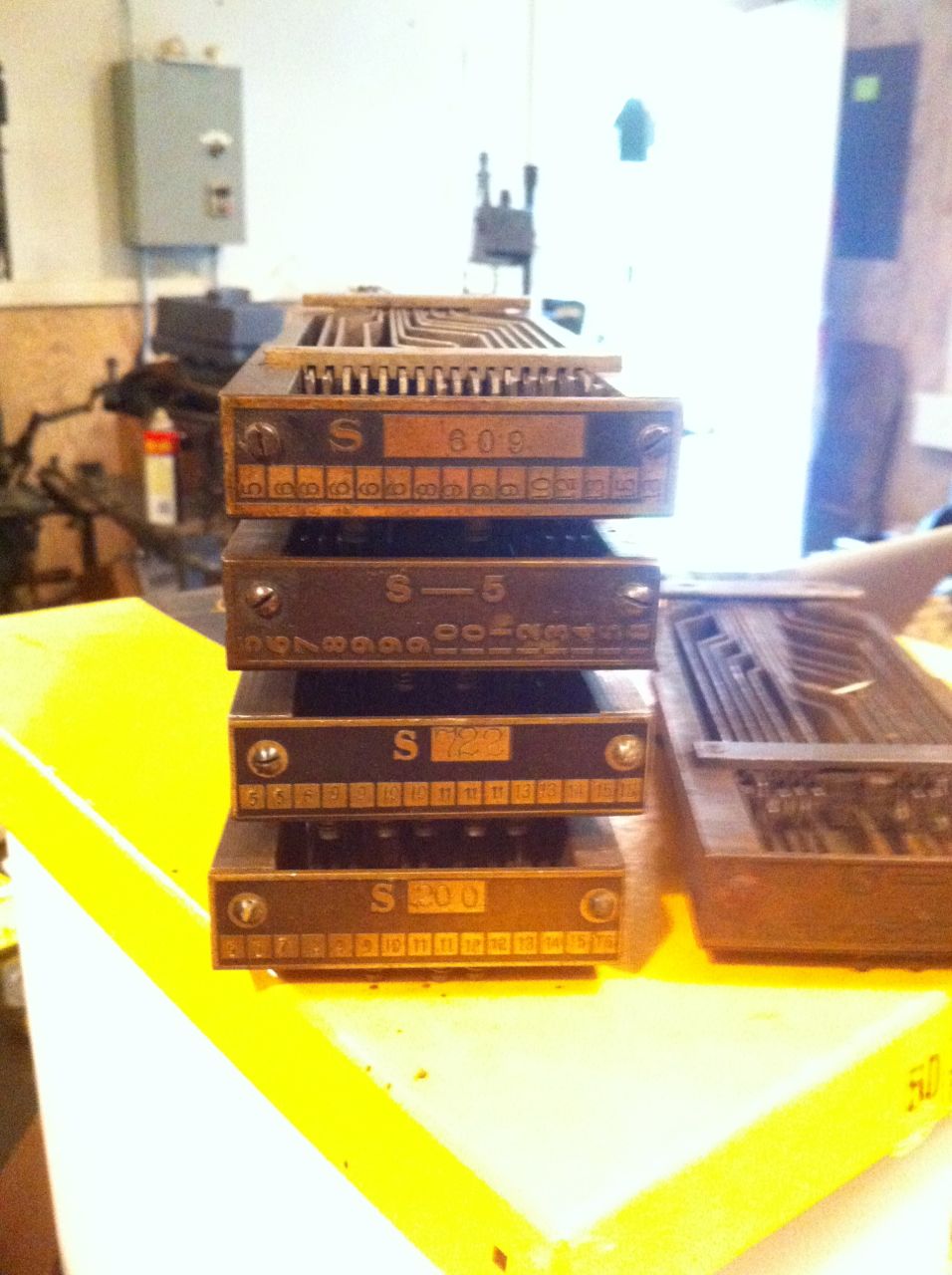
Thinking of a pond as a model of nature does not preclude the possibility of deep integration with architecture or architectural hardscaping. On the contrary, it creates an opportunity to bring architecture closer to the natural world, and invite natural features and irregular beauty into the built environent.

When designing a pond…

  • Consider all views
  • Relate to the surroundings, whether architectural, terrain, natural materials, hardscaping, or landscaping
  • Pay attention to available light throughout the day, cast shadows, reflections
  • Be aware of the projection of sound, from both waterfalls and pumps.
  • Combine activity with quietude. Fast moving water/still water. Breezy plants/solid objects or background shapes.
  • Look at the background
  • Remember that even slight changes in elevation add interest
  • Depth is as important as width. That doesn’t mean the pond has to be deep, just that water depth is part of the whole composition
  • Remember that there’s a landscape beneath the water, too. Unless you have really bad water, you will see it

Computers

Dan got a new MacBook Pro today. Aaron got an iPhone. Started me thinking about the computers I’ve used or owned over the years.

Prehistory

Coleco Pong - Dad had one at the little house he lived in after my parents divorced. I was maybe 8…or 9 or 10, which would be sometime 1977 - 1979.

Commodore Pet - at Heinz Semder’s import office in Brooklyn. I only really sat in front of it.

Borroughs 68000 - I took a Pascal programming course at Franklin & Marshall when I was in seventh grade. We used terminals (Honeywell or Teledyne?), but I have no idea what the OS was. Once they toured us through the Burroughs 68000 mainframe room. What a cool memory. A roomful of well organized blue refrigerator shapes. Whisking tape machines…and those massive, multiple-platter hard disk machines that were about the size of a dishwasher. Capacity? I don’t know. Each student had a chance to make a punched card—probably with our name.

Mattel Intellivision - Shared it with my step-dad for years.

Commodore Vic-20 - Dad bought this and I started learning BASIC programming. Cool sound chip, simple as it was. 1/4 audio tape storage.

Commodore 64 - My first computer. Awesome sound chip, SID. Programmed in BASIC, Logo, Pascal, broke things in 6510 assembly language. Massive external 5-1/4 floppy drive. Used GEOS for a short time before it finally fried…something in the power supply must have shorted, because when I opened it up, paths on the circuit board were warped and wavy. Melted!

Atari 1200XL - My friend Rick got this for Christmas. Best thing I did on it was write a program to make random geometric shapes. We thought they results would make great OP t-shirts.

Apple Macintosh SE - Borrowed from Casey Dixon, who would later become my wife.Apple Quadra 605 - The first computer I bought on my own.

Apple Quadra 630 - Second computer I bought.

iMac - This was Casey’s.

Apple PowerMac 8200AV -

Apple iBook - Casey’s first generation iBook I think.

iMac G4 17″

Apple Powerbook G4 - One of many laptops I used at Ritter. Other machines I used there include Quadra 950 with Daystar accelerator, PowerMac 7200, PowerMac 9500, G3, G4.

Apple Powerbook G4 - 15″ Casey’s last school computer.

Apple iBook xxxx - I’m not sure which one Casey has right now.

Dell Latitude 810 - My Develisys laptop. Ah,…Microsoft Windows. Words cannot express…

iMac 24″ Intel Core Duo - my current machine.

Listening

After a little clean up of the site some old recordings emerged.

That Crazy Dream (mp3, 2.8 mb)
—vox courtesy (ok, stolen from) C Dixon.
Keys (mp3, 1.4 mb)
—a loopy loop.
Hurricane 2 (mp3, 2.7 mb)
—a sappy, underdeveloped bed…love that Wurlitzer.
092403 (mp3, 2.7 mb)
—also sappy; fun with strings.

Website Upgrade

Maybe it was the trip to Chicago. Maybe it was learning that there is an iPhone app for Wordpress. Either way I decided to redesign the site again. I really wasn’t unhappy with the previous design, but have grown tired of the somewhat dated backend CMS. More on that later, maybe.

Installing WordPress was a breeze. The five-minute install worked perfectly. Of course, I first installed it on my local environment to start developing a new design and template, and to test importing content from TextPattern, the CMS that I’ve used routinely over the last two years. As it turns out, moving my existing content from TextPattern to Wordpress had it’s snags, but I found some great advice, along with a better TextPattern to WordPress import script from Alex Brie.

The next challenge I faced was the way WordPress handles permalinks and category links. In short, even after following all of WPs standard advice for creating ‘pretty permalinks’, I was still left with category links that look like:


www.site.com/category/category-name/post-name/

when what I really want is


www.site.com/category-name/post-name/

The later pattern has benefits for the end user (URL recognition) and search optimization (URL keyword density). In this context, Wps literal use of /category is completely superfluous, and for me has no place in a meaningful URL pattern.

After a little research, it seems that WordPress rewrites the URL this way in order to provide total compatibility with WordPress pages, the URLs of which follow the pattern: www.site.com/page-name. This allows WP pages to have any name and never conflict with the URL of a category. Put another way, adding /category creates an absolutely unique namespace for categories.

I suspect however that many WordPress users employ WordPress pages for only a handful of common ancillary items—about, contact, etc—while using categories to manage the bulk of their content. For these users the potential for confusion and URI collision is very low: it’s an easy and obvious choice to simply eliminate /category and then to avoid creating a category with the same name as a page, i.e., don’t create a category named ‘about’ or ‘contact’.

The WordPress forum is littered with various workarounds, plugins, and hacks, but none are without negative side effects. I’m certainly not above hacking source code, but doing so now can come back to bite you when you upgrade your WordPress installation later. Besides, shouldn’t there be a way to manage it in WordPress’ permalink settings? Or if not there, then perhaps in the .htaccess mod_rewrite rules? Apparently not…at least not yet. There is an “Idea forum” thread dedicated to removal of the wp category base, and I will be following this closely.